


Otium Word - Relax Puzzle Game
4.8182.00 Reviews
App Specs
- Version
- 1.2.0
- Updated On
- License
- Free
- Downloads
- 100,000+
- Developer
- Solitaire Relax® - Solitaire Card Games
- Categories
- Word
- Platform
- Android
Screenshots

 Analysis by AppCompare
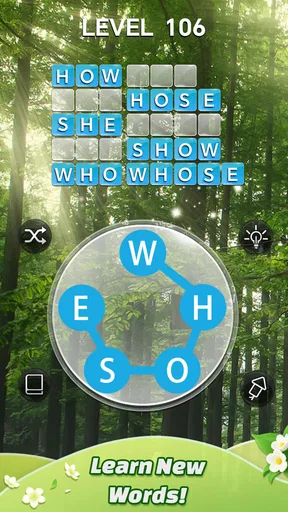
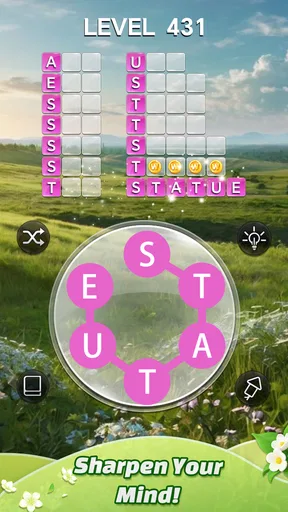
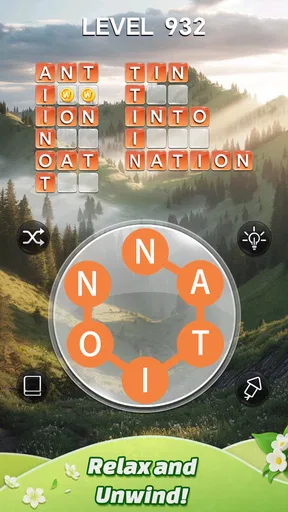
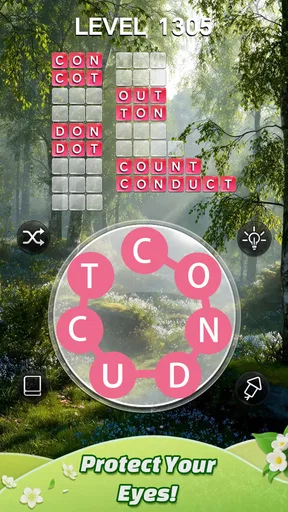
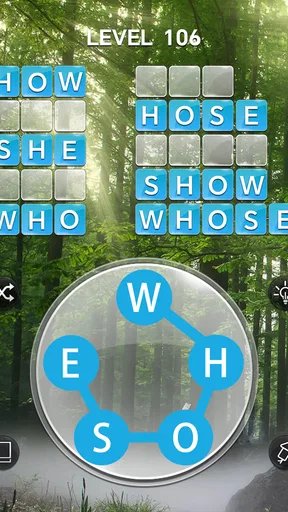
My favorite way to test a word game is to open it when I have only a few spare minutes and see whether the first puzzle feels inviting or like homework. Otium Word - Relax Puzzle Game is built around a simple idea: use a small set of letters to make words and fill a crossword-style grid. That gives a newcomer a clear first goal, and the early levels ease you into the routine instead of asking for word-game expertise straight away.
What to expect from the first puzzles
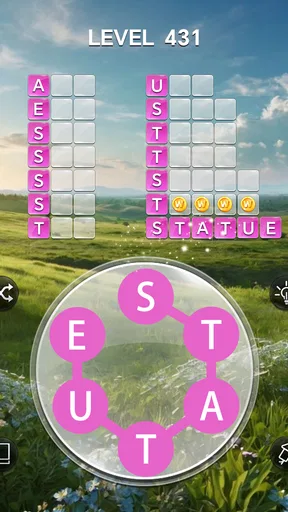
This is a word puzzle game for people who enjoy spotting connections between letters. You are not writing long answers or racing through a timed quiz; the central task is to find words that fit the spaces in the grid. I like that this makes a puzzle easy to approach in a short break, while still leaving room to pause and think when a combination does not come to mind.
The gradual rise in difficulty is a useful part of the experience. An easy opening gives you space to learn how the letter set relates to the grid, then later puzzles ask you to look more carefully. If you are new to this style, I would resist the urge to use a hint at the first moment of uncertainty. Try rearranging the letters, look for a different starting letter, and return to the puzzle after a brief pause. That small reset can make a word visible without taking away the satisfaction of finding it yourself.
A low-pressure fit for everyday gaps
I can see this working well while waiting for an appointment, taking a quiet break between tasks, or winding down before bed. A crossword-style grid gives each session a natural stopping point: finish a puzzle, put the phone down, and pick it up again when you have time. That is more convenient than a word game that depends on a long uninterrupted session or a fast response.
The calmer presentation also makes a difference to the mood. The background music and visuals are easy on the eyes, so the game feels more like a quiet diversion than a noisy competition. That said, “relaxing” does not mean effortless. When I cannot see a word, I still need to concentrate, and that mental work is part of the appeal. If you want a game that plays itself in the background, this is not quite that; it asks for attention, but does not make the task feel rushed.
Getting started and finding your rhythm
From the moment you open Otium Word, you’re greeted by a soothing interface that sets the tone for what’s to come. The game’s premise? Simple yet challenging word puzzles. You start with a few letters, and your task is to create words and fill the crossword-style grid.
The game kicks off with easy levels, perfect for getting the hang of it. But don’t be fooled! As you progress, the puzzles ramp up in complexity, keeping you on your toes. I found myself completely engrossed, often thinking, “Just one more level,” only to find an hour had flown by. It’s addictive in the best way possible.
Worth Reading Before You Choose

EA SPORTS FC Mobile 26 Is a Bigger Football Game, but It Takes Time

Flipboard Shows What News Apps Must Do Beyond the Feed

Switching to Android Auto Means Rethinking Your Driving Routine

Google Calendar Makes a Crowded Week Easier to Manage

Ludo King Makes the Most of the Minutes Between Plans

Baby Panda World Brings Quick Play to Modern Phones, but Its Game Library Feels Busy
The Perfect Balance of Challenge and Relaxation
What I love about Otium Word is the balance between challenge and relaxation. The background music is calming, and the visuals are easy on the eyes, making it a perfect way to unwind after a long day. But don’t mistake its calming aura for a lack of challenge. The game pushes you to think creatively, expanding your vocabulary with each level.
Each successfully completed puzzle gives you a sense of accomplishment. And if you’re stuck, no worries! There are hints available to guide you, ensuring you never get too frustrated. It’s a thoughtful touch that keeps the experience enjoyable.
Making hints and discoveries work for you
A hint is best treated as a nudge rather than an automatic solution. I would first scan the empty spaces and consider whether the grid is asking for a word I already know in an unfamiliar arrangement. If that fails, use help sparingly to get past the sticking point, then continue solving the remaining entries yourself. This approach keeps the puzzle engaging and avoids turning every difficult moment into a tap for an answer.
The dictionary feature adds a second reason to slow down after completing a word. When a newly discovered entry catches your attention, tapping it lets you learn more about it. That can make the game a pleasant choice for curious players, including someone who wants a light vocabulary exercise rather than a formal study tool. I would still think of it as a game first: the dictionary enriches the puzzle, but the main pleasure is working out which words belong in the grid.
Daily play without making it a chore
Daily challenges offer a reason to return, and I found it easy to imagine making one a small routine with coffee or during a lunch break. The useful trick is to treat the challenge as an optional extra, not a task you owe the game every day. If you are short on time, an ordinary puzzle is a perfectly sensible stopping point; if you want a change of pace, the daily activity gives you another kind of word puzzle to try.
For a realistic example, picture a bus arriving in a few minutes. I would open the game, work through one manageable puzzle, and stop at the completed grid rather than start another level that might make me miss my stop. On a quieter evening, I might instead spend longer with a harder puzzle and use a hint only after trying a few different letter combinations. The same game can serve both moments because the basic goal remains easy to understand.
How it differs from other word games
Compared with a crossword app, this game begins with letters you can rearrange rather than clues that ask you to recall a specific answer. That makes it a better fit when I want to reason from a visible set of letters, and a weaker choice when I am specifically craving themed clues or broad general-knowledge questions. Compared with a fast word-search game, the crossword-style grid gives each answer a more connected role: completing one part helps the whole puzzle take shape.
It also occupies a different space from competitive word games. The appeal here is a calm solo session, not measuring speed against another player. If you want multiplayer matches, a head-to-head score, or a strict timer to create pressure, I would look elsewhere. If your goal is to make a quiet pocket of time feel a little more mentally active, this style is more suitable.
Common sticking points and sensible expectations
One possible frustration is that a player can know several words made from the letters and still hesitate over which one fits the grid. In that moment, focus on the shape of the empty spaces rather than repeatedly guessing the same familiar word. Try a different letter order, check which entries remain, and let the grid narrow down the possibilities. It is a small change in approach, but it helps keep a tricky puzzle from feeling like a wall.
The other trade-off is that a relaxing presentation can make it easy to lose track of time. The “one more level” feeling is enjoyable, but if you are opening the game during a short break, decide on a natural stopping point before you begin. The game is also not the best match for someone who dislikes word puzzles or expects every session to teach vocabulary in a structured way. Its learning value comes through discovery, not a lesson plan.
Features That Enhance the Experience
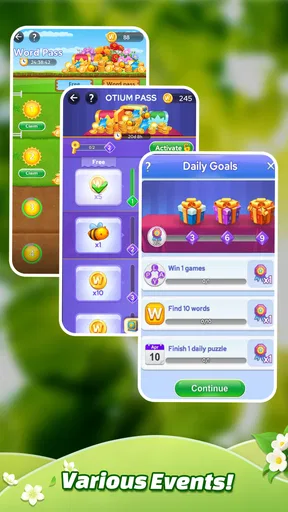
Let’s talk features. Otium Word offers daily challenges that keep things fresh and exciting. These challenges are a great way to earn extra rewards and test your skills against different puzzles. I found myself looking forward to these daily challenges as a fun little ritual.
The app also includes a dictionary feature, which is incredibly handy. If you’re curious about a word you’ve just discovered, you can tap on it to learn more. It’s educational and entertaining, a combo I didn’t know I needed but now can’t live without.
Intuitive and User-Friendly
The user interface is straightforward, making it easy for anyone to pick up and play. Navigation is seamless, and the controls are intuitive, which is crucial for maintaining that relaxing vibe. You won’t find yourself fumbling around trying to figure out what to do next.
Plus, the game is free to download, with optional in-app purchases. This model is great because it allows you to enjoy a substantial amount of content without spending a dime, while providing options for those who want to enhance their experience further.
Who I would recommend it to
This is an easy recommendation for someone who likes anagrams, crosswords, or quiet phone games that can be played without a group. It is particularly approachable if you want to start with uncomplicated puzzles and build confidence as the grids become more demanding. The audience rating is Everyone, and the game is free to download; optional in-app purchases range from $0.49 to $49.99 per item, so I would check any purchase prompt carefully and only spend if it suits your own preference.
On the other hand, I would skip it if your favorite part of a word game is a large bank of cryptic clues, a competitive leaderboard, or a timed challenge. The central pleasure here is private problem-solving at your own pace. Someone looking for a dedicated vocabulary course may also be better served by a learning app, since discovering words in a puzzle is not the same as following a structured curriculum.
Practical details before you install
The game is developed by Solitaire Relax® - Solitaire Card Games, despite its word-puzzle focus. It has a 5.0 average from 733 ratings, with 110 written reviews, and has reached over 100K installs. It was released on June 12, 2025; version 1.1.4 requires Android 6.0 or later. Those details make it straightforward to check whether your device can run it, while the age rating gives families a quick indication of its intended audience.
For a first session, I would keep the goal modest: learn how the letters and grid work, complete a puzzle without rushing, and explore the dictionary if a word genuinely makes you curious. Save hints for a real block rather than spending them on every pause. Once that rhythm feels comfortable, try a daily challenge when you want variety. This gives you a useful first success without turning the game into a checklist.
Final Thoughts
So, is Otium Word - Relax Puzzle Game worth your time? Absolutely! It’s a delightful blend of relaxation and mental stimulation, perfect for anyone looking to unwind while keeping their brain active. Whether you’re a word game enthusiast or just need a new hobby, this app is a must-try.
Ready to dive into the world of word puzzles? Give Otium Word a try, and prepare to get hooked on its calming yet challenging gameplay. Happy puzzling!
Pros
- Engaging word puzzles keep your mind active.
- Relaxing music enhances the gaming experience.
- Intuitive interface that's easy to navigate.
- Variety of levels to suit all skill levels.
- Regular updates with new challenges.
Cons
- Ads can be intrusive at times.
- Limited hints may frustrate players.
- Some puzzles feel repetitive.
- Requires internet for some features.
- In-app purchases can be expensive.
FAQs for Otium Word - Relax Puzzle Game
What is Otium Word - Relax Puzzle Game about?
Otium Word is a relaxing puzzle game designed to enhance your vocabulary while providing a soothing gaming experience. Players connect letters to form words, progressing through increasingly challenging levels. The game features calming visuals and sounds, making it perfect for unwinding after a busy day. It’s available on both Android and iOS.
Do I need an internet connection to play Otium Word?
No, Otium Word can be played offline. This means you can enjoy the puzzle-solving experience without needing a constant internet connection, making it ideal for playing on the go or in areas with limited connectivity. However, online features such as leaderboards may require internet access.
Are there in-app purchases in Otium Word?
Yes, Otium Word includes in-app purchases. While the game is free to download and play, players have the option to purchase hints, additional levels, or remove ads. These purchases are entirely optional and are designed to enhance the gaming experience without being intrusive.
Is Otium Word suitable for all ages?
Otium Word is suitable for players of all ages, offering a family-friendly gaming environment. Its simple, intuitive controls and educational value make it an excellent choice for both children and adults looking to improve their vocabulary skills while having fun.
How can I track my progress in Otium Word?
Otium Word features a progress-tracking system that allows players to see their achievements and levels completed. Players can also connect to social media or gaming platforms to share their progress and compete with friends on leaderboards, enhancing the competitive aspect of the game.


